
Is Tasks.Bot Good for Scheduled Task Automation? An Honest Review
Your scheduling tool sends reminders nobody reads, and tasks still slip. If your team runs on WhatsApp, adding another dashboard just splits their attention further. That matters when field staff miss deadlines and managers chase updates by phone.
This review explains how Tasks.Bot handles scheduled task automation, where its deadline reminders and automations work well, and where they currently fall short. You will also see its pricing, beta status, and who should actually use it for scheduling.
What Is Tasks.Bot? A WhatsApp-Native Task Management Platform
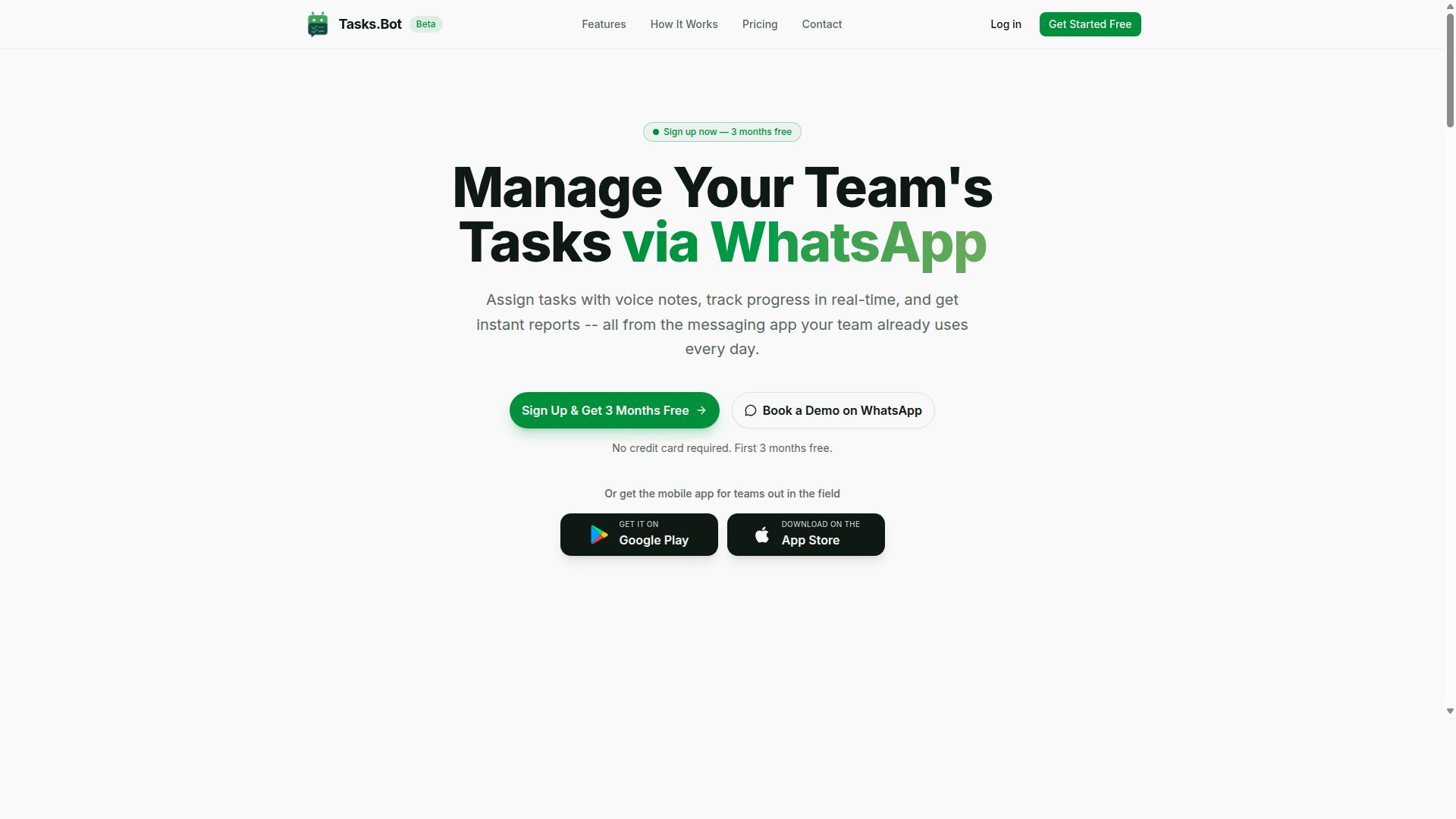
Tasks.Bot is a task management platform that operates entirely within WhatsApp, allowing teams to assign tasks, track progress, and receive reports without leaving the messaging app. Instead of asking people to learn a new tool, it meets them where they already spend their working day.
That design choice matters for adoption. Most task software fails not because the features are weak, but because team members never log in. Tasks.Bot removes that barrier entirely, since there is no separate account to create and no unfamiliar interface to master.
For teams that spend their hours in the field rather than at a desk, Tasks.Bot also offers a mobile app for field teams. This gives on-the-ground staff a dedicated way to work with tasks while the core coordination still happens through WhatsApp.
Tasks.Bot is a SaaS product, so there is nothing to install on a server and no infrastructure to maintain. The service is currently in beta and offers a free trial period, which means teams can evaluate how it fits their workflow before committing.
In short, Tasks.Bot is best understood as a task management layer that lives inside a messaging app your team already trusts. That framing sets up the bigger question this review addresses: how well does it handle scheduled task automation once tasks need to run on a recurring basis?
Who Tasks.Bot Is Built For: Teams With Field Staff on WhatsApp
Tasks.Bot is designed for teams that already use WhatsApp for communication, especially those with field staff who need to manage tasks, track attendance, and generate payroll-ready hours. Delivery crews, maintenance technicians, and outside sales reps are the clearest fit.
These are teams where work happens away from a computer. A dispatcher assigns a job, a technician confirms it, and the record needs to hold up at the end of the pay period. Tasks.Bot supports that loop through attendance tracking and payroll-ready hours, so the same conversation that coordinates work also produces the data back-office staff need.
The platform is not aimed at every organization. A software company with everyone at a desk all day likely has other tools that serve it well. The value here is concentrated in mobile, distributed teams where WhatsApp is already the default channel.
Adoption is also a practical advantage. Because there is no new app to roll out and no account creation step, onboarding a field crew can happen in the channel they check constantly. The site notes that hundreds of teams already use the service, which suggests the WhatsApp-first model resonates with this audience.
For a scheduled task automation review, knowing the audience matters. Automation only helps if the people receiving tasks actually see and act on them. Tasks.Bot's bet is that WhatsApp delivers that reliably for field-based work.
Is Tasks.Bot Good for Scheduled Task Automation? The Direct Answer
Yes, Tasks.Bot is effective for scheduled task automation, but with some limitations due to its beta status and WhatsApp-centric approach. For teams that already run their daily coordination through WhatsApp, the scheduling features fit into a place they already work, rather than forcing them into a separate tool.
The platform handles the scheduling most teams actually need: smart deadline reminders and automations that respond to task deadlines and status changes. You set a deadline, and the system follows up. You define a recurring activity, and it repeats without manual re-entry.
Where Tasks.Bot falls short is at the far technical end of scheduling. If you need cron expressions, fine-grained interval scheduling, or enterprise-grade job orchestration, this is not that kind of task scheduler. It is a workflow automation layer built around tasks and people, not a developer cron platform.
One more factor shapes the answer: Tasks.Bot is currently in beta. That means the core scheduling features work, but you should expect the rough edges that come with any product still being refined. Teams that test their critical automations before relying on them will get the most value.
The two sections below break down how scheduling actually works in Tasks.Bot and where it performs best versus where its current limits sit.
How Tasks.Bot Handles Scheduling: Smart Deadline Reminders and Automations
Tasks.Bot handles scheduling through smart deadline reminders and automations that trigger based on task deadlines and status changes. There is no separate scheduling console to learn. Scheduling lives inside the task itself.
Here is how the pieces fit together:
- Deadlines drive reminders. When you set a deadline on a task, Tasks.Bot automatically sends reminders through WhatsApp so the task does not quietly slip past its due date.
- Automations handle repetition. Recurring tasks, approvals, and notifications can be set up as automations, so routine work moves forward without someone manually recreating it each cycle.
- Status changes trigger action. Because automations respond to task status, an approval or completion can set the next step in motion.
- Everything runs in the natural workflow. Tasks are created and managed in WhatsApp, including through voice notes, so scheduling is integrated into where the work already happens rather than bolted on as a separate step.
That last point matters more than it sounds. Most scheduling failures are not technical failures. They are adoption failures, because people forget to open the scheduler. When the reminder arrives in the same chat thread where the task was assigned, the follow-up is far harder to ignore.
Tasks.Bot also offers Android and iOS apps with push notifications, voice capture, and a home screen widget, so deadline reminders can reach users even when they are not inside WhatsApp at that moment. The AI layer understands user intent and can create tasks from messages, which shortens the distance between "we agreed to do this" and "this is now a scheduled task."
The result is a scheduling model built around deadlines and status transitions, not around raw time expressions. That distinction explains both its strengths and its limits.
Where Scheduled Automation Works Best - and Its Current Limits
Scheduled automation in Tasks.Bot excels for deadline-driven tasks and recurring team activities, but it currently lacks advanced cron expression support and has beta-stage reliability considerations.
The strongest use cases are the ones most teams deal with every week:
- Recurring tasks. Daily checklists, weekly reports, and routine inspections can be set up once and repeated automatically.
- Deadline reminders. Any task with a due date benefits from automatic WhatsApp reminders that keep owners accountable.
- Approval workflows. Requests that need a sign-off can move through an approval step with notifications, rather than sitting in someone's inbox.
- Status-based notifications. Alerts that fire when a task changes state keep managers informed without manual check-ins.
The limits are equally clear. If your automation depends on cron expressions or complex interval scheduling, Tasks.Bot is not the right tool. Time zone handling may be basic, which matters for distributed teams and for daylight saving time transitions. And because the service is in beta, occasional bugs are possible.
The practical advice is straightforward. Before you depend on any automation for something business-critical, test it thoroughly: run it through a full cycle, check that reminders arrive when expected, and confirm approval steps trigger correctly. Treat early automations as pilots rather than load-bearing infrastructure.
Used within those boundaries, Tasks.Bot delivers dependable scheduled task automation for deadline-driven and recurring work, especially for teams already coordinating on WhatsApp. It is a strong fit for everyday operational scheduling, and a poor fit for developer-style job orchestration. Match it to the first category and it performs well.
Key Features That Support Scheduled Task Automation
Tasks.Bot offers several key features that enable scheduled task automation, from voice note task creation to automatic assignments and reporting. The bot platform runs entirely inside WhatsApp, so team members do not need to install anything or create new accounts to receive scheduled work.
For anyone weighing scheduled task automation, the features below matter most because they decide whether recurring tasks actually happen on time and whether failures get noticed. Tasks.Bot also provides Android and iOS apps with push notifications, voice capture, and a home screen widget for teams that want an extra surface beyond chat.
The sections that follow cover the three feature groups most relevant to a task scheduler: how tasks get created, how they get assigned and reported on, and how field teams stay accountable. Each one plays a distinct role in keeping a job scheduling routine on track.
Voice Note and Natural Language Task Creation
Tasks.Bot uses AI to understand natural language and voice notes, allowing users to create tasks by simply speaking or typing as they would in a WhatsApp message. There is no rigid form to fill in and no cron expressions to write by hand.
The AI parses intent from ordinary phrasing, so a message that mentions a job and a timeframe becomes a structured task with a deadline and an assignee. This matters for scheduled task automation because the hardest part of any task queue is often the first step: getting the work into the system at all.
Voice capture is especially useful for field staff who are on site, wearing gloves, or driving between locations. Typing a detailed task on a phone is slow and error-prone in those conditions, while a short voice note takes seconds.
Because everything happens in WhatsApp, there is no separate app to open and no second login to remember. Reducing that friction means fewer tasks live only in someone's head, which is where scheduled automation usually breaks down.
Natural language input also lowers the training burden. A new team member can create recurring tasks the same way they already send messages, without learning a new interface or a syntax for interval scheduling.
Automatic Task Assignment, Approvals, and Instant Reports
Tasks.Bot automates task assignment, manages approval workflows, and generates instant reports that can be shared within WhatsApp. Assignment removes the manual step of deciding who gets what, which keeps recurring work moving without a dispatcher in the loop.
Approvals handle the tasks that need sign-off before they count as done. A completed job can route to a manager for confirmation, so quality checks stay inside the same chat thread rather than a separate system.
Instant reports give real-time status updates on what is finished, what is pending, and what is overdue. For a task scheduler, that visibility is what separates automation that works from automation nobody trusts.
Reports can also be scheduled for regular delivery, which turns status checking into a routine instead of an ad hoc request. Managers get a consistent picture of the day without chasing updates by hand.
Together these three capabilities cover the middle of the automation lifecycle: work is routed, verified, and summarized. They also support the kind of monitoring and alerts that help teams catch a stalled task before it becomes a missed deadline.
Field Team Tools: Live Day Tracker, GPS Tasks on a Map, Face-Verified Attendance
For field teams, Tasks.Bot offers a live day tracker, GPS-enabled tasks on a map, and face-verified attendance to ensure accountability and real-time visibility. Each tool addresses a different gap that scheduled automation alone cannot close.
- Live day tracker: shows daily task progress so supervisors can see how the day is unfolding as it happens.
- GPS tasks on a map: ties tasks to locations, which helps with routing and confirming that work was done where it was supposed to be.
- Face-verified attendance: uses facial recognition for check-ins, reducing the chance of buddy punching or unverified shift starts.
These features are accessible through the mobile app and work together with WhatsApp for notifications. That combination matters because field staff often work away from a desk, where a desktop dashboard would never be opened.
Shifts, leave, and hours management round out the same toolset, connecting attendance data to the scheduling side of the business. When attendance, location, and task status live in one place, a scheduled job is easier to verify end to end.
For an honest review of scheduled task automation, this is the area where Tasks.Bot stands apart from a plain reminder bot. It does not just fire off a notification; it gives managers a way to confirm the work actually happened.
Pricing and Plans: What Automation Costs You
Tasks.Bot offers a single 'Full Access' plan with all features included, priced at ₹200 per member per month or ₹1,200 per year per member, available in both Indian Rupees and US Dollars. There are no tiers to compare, no feature locks, and no upgrade maze. Every user on the plan gets the same complete set of capabilities.
That flat structure matters for an honest review of scheduled task automation. Many task scheduler tools split essentials like failure handling, retry logic, or alerting across paid tiers. With Tasks.Bot, those capabilities are part of the base plan rather than upsells.
Pricing is listed in two currencies, so teams can pick the one that fits their billing setup. The platform shows a 'Select currency' option with Indian Rupee and US Dollar choices. Verify the currency before you confirm, so the amount you see matches what you expect to pay.
New users also get 3 months free, with no credit card required, and can cancel anytime. That trial window gives a team room to test recurring tasks, one-time jobs, and interval scheduling before committing budget.
| Plan | Price | Billing | Features |
|---|---|---|---|
| Full Access (monthly) | ₹200 per member per month | Monthly | All features included |
| Full Access (annual) | ₹1,200 per year per member | Annual (save 50%, save ₹1,200/yr per member) | All features included |
The annual option is where the math gets interesting. At ₹1,200 per year per member, you save 50% compared to paying monthly, which works out to ₹1,200 saved per member each year. For a small team, that difference compounds quickly.
Compare that to the alternatives. A dedicated scheduler is a salary, benefits, and onboarding. Stacking several single-purpose tools means several subscriptions, several logins, and several bills to reconcile. Tasks.Bot folds scheduling into one line item per member.
For teams already running on WhatsApp, the value is even clearer. Work already happens in that channel, so adding a bot platform for reminders, alerts, and notifications avoids introducing yet another app nobody opens. Fewer tools means fewer places for a scheduled job to get lost.
On cost alone, the case holds up. One predictable per-member rate, every feature included, and a free three-month start make Tasks.Bot a genuinely economical choice for scheduled task automation.
Trust Signals: Beta Status, Encryption, and Refund Policy
Tasks.Bot is currently in beta, which means it is still evolving, but it employs encryption for data security and offers a refund policy as stated in its footer. Those three signals matter when you are deciding whether to trust a bot platform with recurring tasks that run without anyone watching.
Beta status cuts both ways. On one hand, a product still in beta can carry rough edges, and bugs are more likely than in a mature release. On the other, beta usually means active development, with fixes and improvements arriving faster than they would in a frozen product.
For scheduled task automation, the practical takeaway is simple. Test your most important jobs before you depend on them, and keep an eye on how the service behaves over a few weeks. Reliability is earned through observation, not assumed from a label.
Encryption addresses a different worry: data privacy. A task scheduler often touches credentials, payloads, and notification content, so protecting that data in transit and at rest is a baseline expectation. Tasks.Bot states that it employs encryption, which is a meaningful point in its favor for anyone handling sensitive workflows.
The refund policy noted in the footer acts as a safety net. If the service does not fit your needs, you have a stated path to recover your payment rather than absorbing the loss. That lowers the risk of trying a tool that is still in beta.
Weigh these factors against how critical your automation is. For low-stakes recurring tasks, the combination of encryption and a refund policy may be enough to proceed. For mission-critical job scheduling, consider a staged rollout.
- Start small: move one or two non-critical recurring tasks onto Tasks.Bot first.
- Monitor closely: watch execution results and error logging during the early weeks.
- Keep a fallback: retain a manual or alternate process for anything business-critical.
- Review the terms: read the refund policy in the footer before you commit.
Beta status is not a red flag on its own. It is a signal to pair enthusiasm with testing, and the presence of encryption and a refund policy makes that testing period far less risky for a bot platform handling your scheduled work.
Who Should Use Tasks.Bot for Scheduled Automation
Tasks.Bot is ideal for small to medium-sized teams with field staff who already use WhatsApp and need simple, deadline-driven task automation without complex setup. The platform fits teams that treat WhatsApp as their main communication channel and want task management, attendance tracking, and payroll-ready hours to live in the same place.
The site notes that hundreds of teams already use the service, which suggests a clear, repeatable fit rather than a niche experiment. If your staff work away from a desk and check their phones more often than a laptop, this kind of bot platform removes the friction of introducing yet another app.
Below are the profiles that get the most value from Tasks.Bot, and the situations where a different tool may serve you better.
- Small to medium-sized teams that want task management without a heavy onboarding process.
- WhatsApp-first organizations where chat is already the default way work gets assigned and confirmed.
- Field staff operations that need attendance tracking and payroll-ready hours alongside their tasks.
- Managers who need basic scheduling, such as reminders and recurring tasks, rather than deep scheduling configuration.
Industry fit tends to follow the same pattern. Delivery teams assigning daily routes, maintenance crews handling recurring service visits, and sales teams tracking follow-ups all share a common need: a short, clear task that arrives on time and gets marked done.
It is worth being equally clear about who should look elsewhere. Teams that require advanced cron scheduling, complex cron expressions, or enterprise-grade reliability guarantees may find the scope too narrow. The same applies to organizations that need fine-grained permissions, compliance programs, or a full REST API and webhook layer for deep system integration.
That is not a flaw in the product so much as a boundary. Tasks.Bot is built for straightforward, deadline-driven scheduled task automation delivered where field teams already work, and it does that job well for the audience it targets.
Final Verdict: Is Tasks.Bot Worth It?
Tasks.Bot is worth considering if you need a lightweight, WhatsApp-native task automation tool for field teams, but its beta status and limited advanced scheduling may not suit everyone. The honest review comes down to fit: what the platform does well lines up neatly with a specific kind of team, and where it falls short is equally clear.
For organizations already running day-to-day coordination inside WhatsApp, the value proposition is straightforward. Tasks.Bot turns a channel your staff already use into a place where scheduled task automation actually happens, without asking anyone to learn a new dashboard or admin console.
Where Tasks.Bot delivers:
- Ease of use. Because the interface is WhatsApp itself, onboarding friction stays low. Team members who are comfortable with chat generally need little to no training.
- WhatsApp integration. This is the core strength. Scheduling and task delivery live where conversations already occur, which matters most for field teams working away from a desk.
- Affordable pricing. The cost structure makes it accessible for small and mid-sized teams that would balk at enterprise workflow automation suites.
Where it falls short:
- Beta status. The product is still maturing, so buyers should expect an evolving feature set rather than a fully settled platform.
- Limited cron support. Teams that depend on complex cron expressions, fine-grained interval scheduling, or precise time zone and daylight saving time handling may find the scheduling engine too basic.
That second limitation is the one to weigh carefully. If your requirements include intricate recurring tasks, layered retry logic, or deep monitoring dashboards, a dedicated task scheduler will likely serve you better. For straightforward reminders and routine assignments, the gap rarely matters.
Our recommendation is simple. Choose Tasks.Bot if you are already on WhatsApp and your scheduling needs are basic to moderate. If you need advanced cron expressions or heavy workflow automation, evaluate a more specialized alternative first, then revisit Tasks.Bot as your needs shift.
To see whether it fits your workflow, you can reach the team directly. Book a demo on WhatsApp or get in touch by phone at +91 97143 42522, or email [email protected] with your questions.
Frequently Asked Questions
Do my team members need to install a new app or create accounts to use Tasks.Bot?
No. Tasks.Bot operates entirely within WhatsApp, so your team can assign tasks, track progress, and receive reports without installing anything or creating new accounts. There's also a mobile app available for field teams who need it. This makes it especially easy to roll out for teams already communicating on WhatsApp.
What kinds of tasks can Tasks.Bot handle?
Tasks.Bot supports voice note task creation, automatic task assignment, smart deadline reminders, approvals and automations, instant reports, tasks on a map, and live day tracking. Its AI understands natural language and voice notes, so you can create tasks the way you'd naturally message a colleague. It also offers face-verified attendance and payroll-ready hours for teams with field staff.
How much does Tasks.Bot cost?
Tasks.Bot offers a single 'Full Access' plan with all features included, priced at ₹200 per member per month on the monthly plan, or ₹1,200 per year per member on the annual plan (a 50% saving). Pricing is available in both Indian Rupees and US Dollars. For the most current details, check the website or reach out to the team directly.
Is Tasks.Bot available in my country?
Yes. Tasks.Bot is a SaaS product accessible via WhatsApp and mobile apps, and it's available worldwide with no country restrictions mentioned. As long as your team uses WhatsApp, you can use Tasks.Bot.
Is Tasks.Bot suitable for teams with field staff?
It's designed with exactly those teams in mind. Tasks.Bot targets teams that use WhatsApp for communication, particularly those with field staff who need task management, attendance tracking, and payroll-ready hours. Features like tasks on a map, face-verified attendance, and live day tracking are built for this kind of work.
How do I get started or see Tasks.Bot in action?
You can book a demo directly on WhatsApp through the website. Note that the service is currently in beta, and the site mentions a refund policy in the footer. For questions, reach the team at [email protected] or +91 97143 42522.
Recommended Resources: